
LaTeX Benchmark
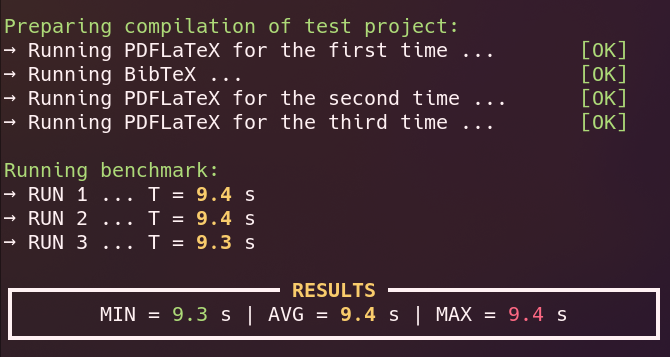
Since I often find myself compiling huge $\LaTeX$ documents (for example, my lecture notes), I wrote a little bash script with an associated online database to benchmark the performance of systems specifically for compiling $\LaTeX$-documents. The script measures the time needed to compile a stripped-down version of my lecture notes on quantum field theory (many packages, lots of equations, boxes, TikZ figures …). If you happen to compile a lot of heavy $\LaTeX$ documents, the scoreboard might help you to decide which CPU to buy:
Setup
The following utilities are needed to run the benchmark:
pdflatex, bibtex, awk, git, curl
A full installation of TeX Live (or equivalent) is strongly recommended.
- Debian/Ubuntu:
sudo apt-get install git curl gawk texlive-full - Arch/Manjaro:
sudo pacman -S git curl gawk texlive-bin texlive-binextra \ texlive-latexrecommended texlive-latexextra texlive-fontsextra \ texlive-pictures - Fedora/Rocky:
sudo dnf install git curl gawk texlive-scheme-full
On Windows, use the Windows Subsystem for Linux (WSL) with Ubuntu and apply the same commands and packages as above.
Running the benchmark
To run the benchmark, open a terminal and run the following command:
bash -c "$(curl -L -s itp3.info/latexbench)"
You can (and should) inspect what the script does in the Git repository. (Or use an AI of your choice to inspect the latex-benchmark.sh.)